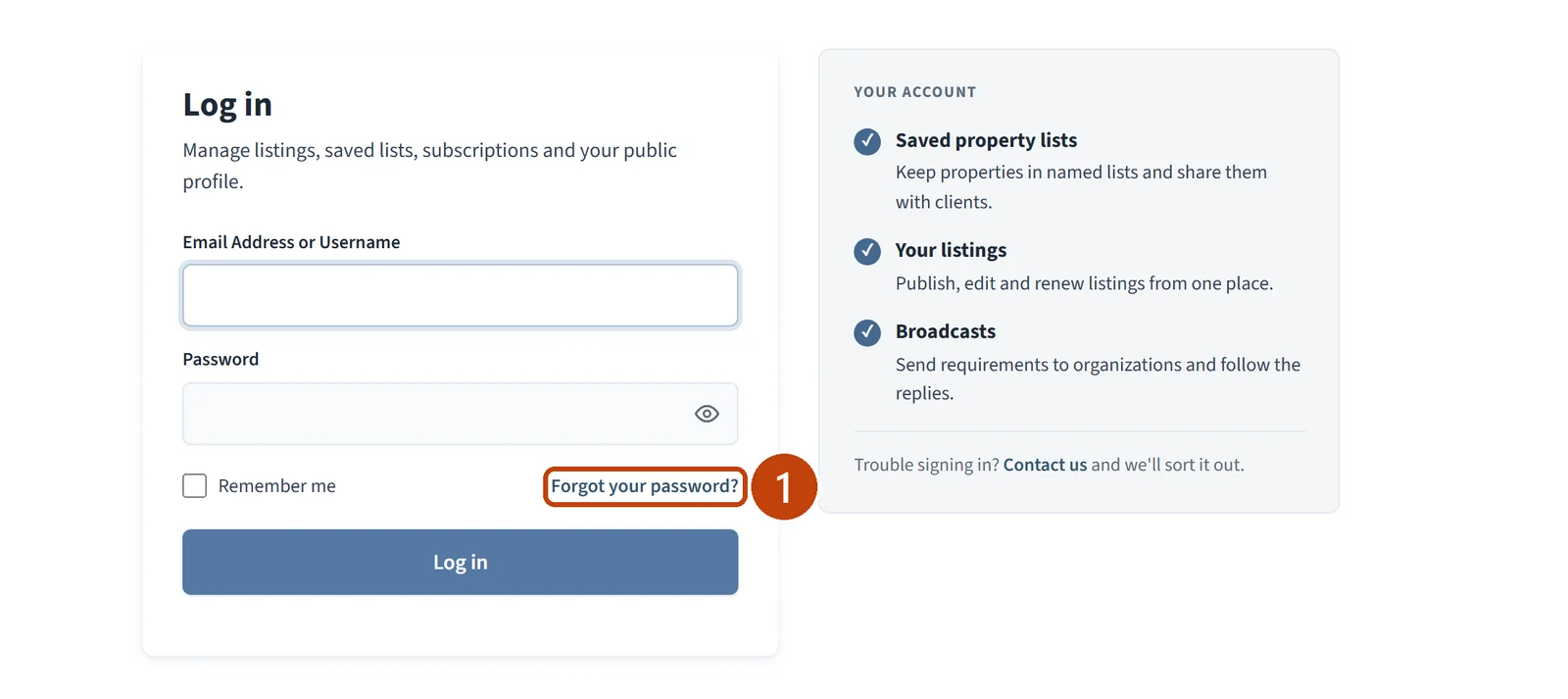
On the Log in page, select Forgot your password?.

Help Center · Account
Get a password reset link by email and choose a new password, or change your password while you are signed in.
Last updated October 2026 · 2 minute read
On the Log in page, select Forgot your password?.
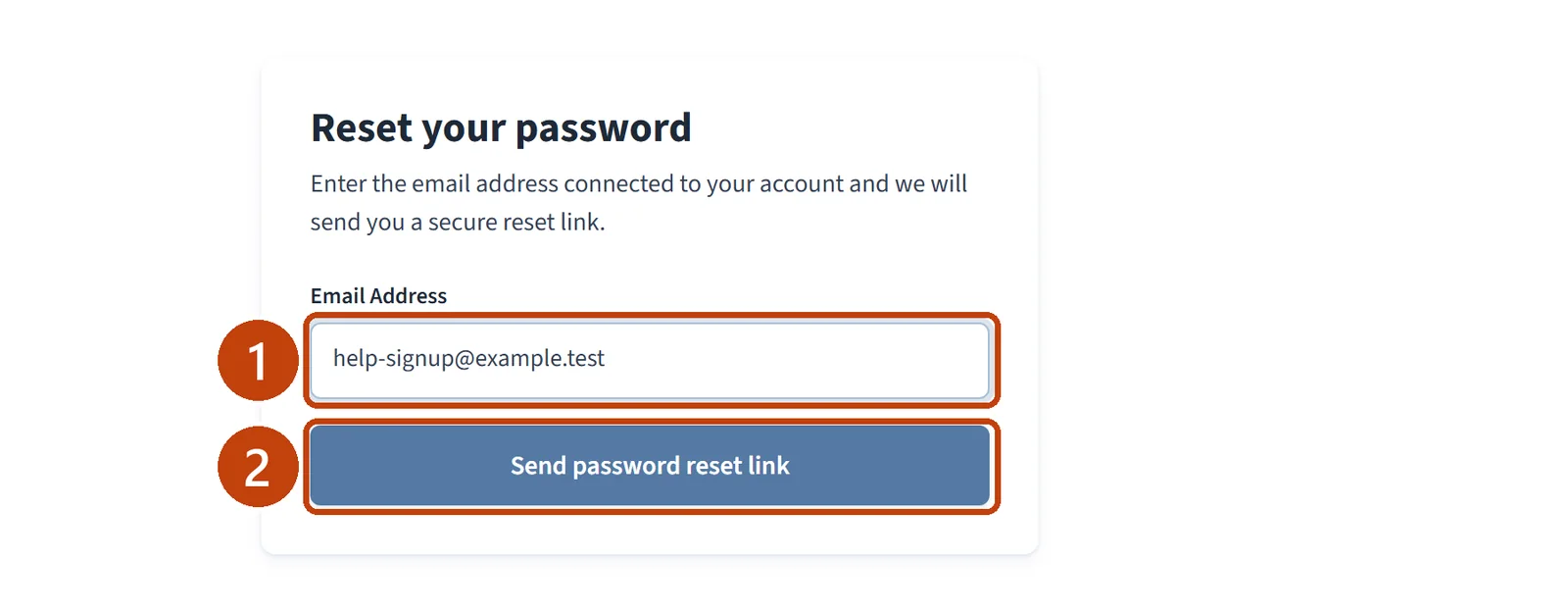
Enter the Email Address connected to your account.
Select Send password reset link.
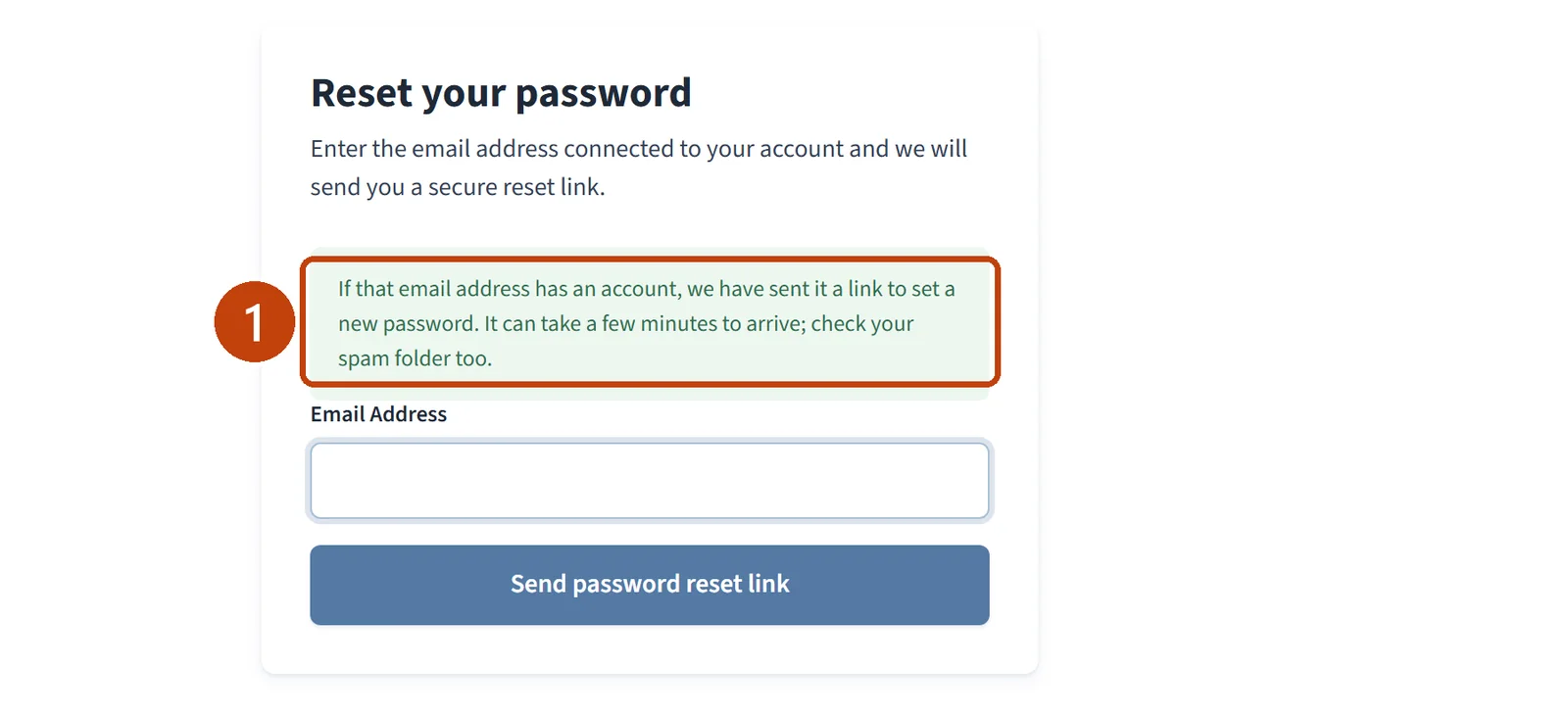
The page confirms that if the address has an account, a link to set a new password has been sent. It can take a few minutes to arrive.
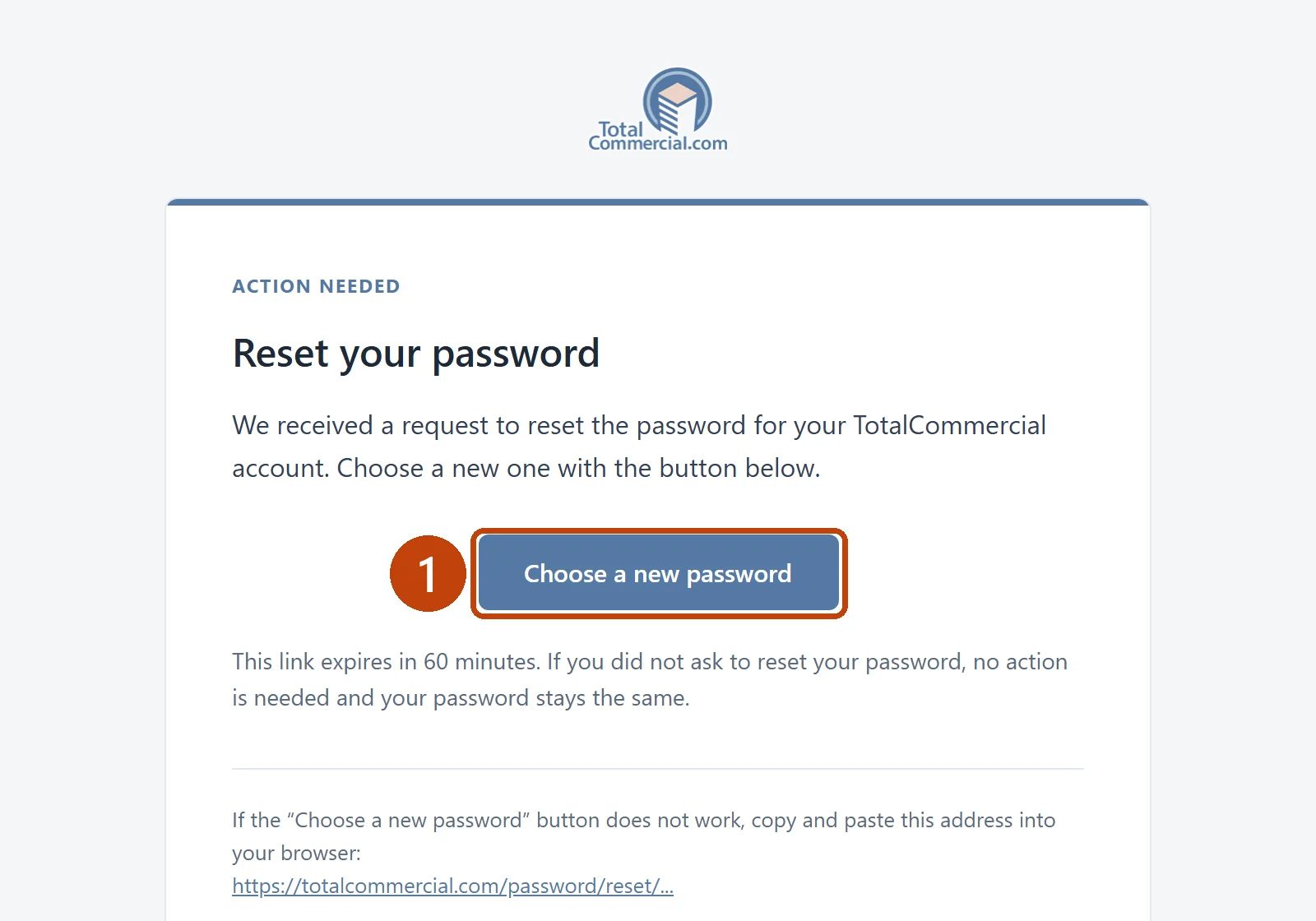
Open the email with the subject “Reset Password”.
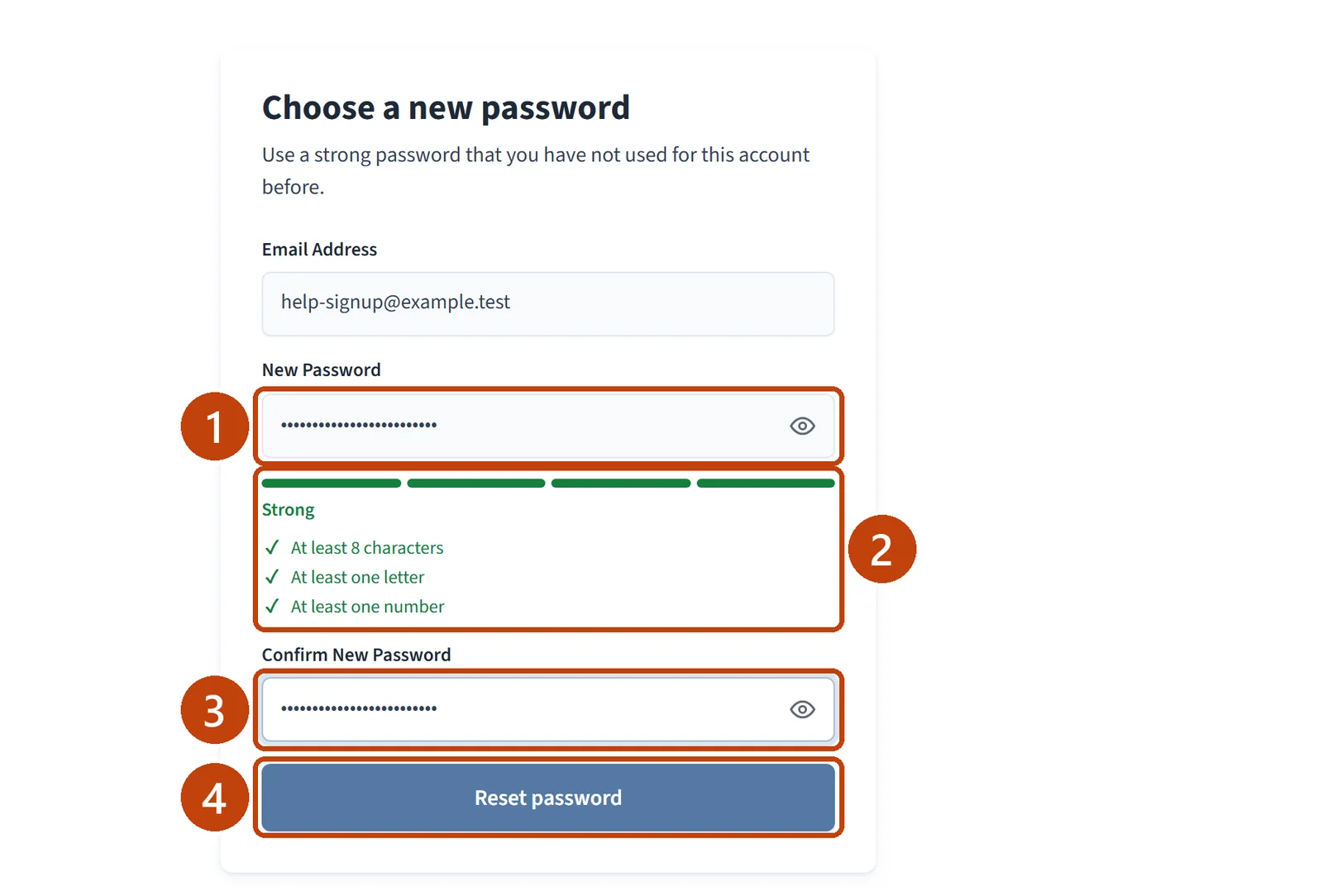
Select Choose a new password. The link expires in 60 minutes.
Enter your New Password. It needs at least 8 characters, one letter, and one number.
Enter it again in Confirm New Password.
Select Reset password.
You are signed in and taken to your Dashboard.
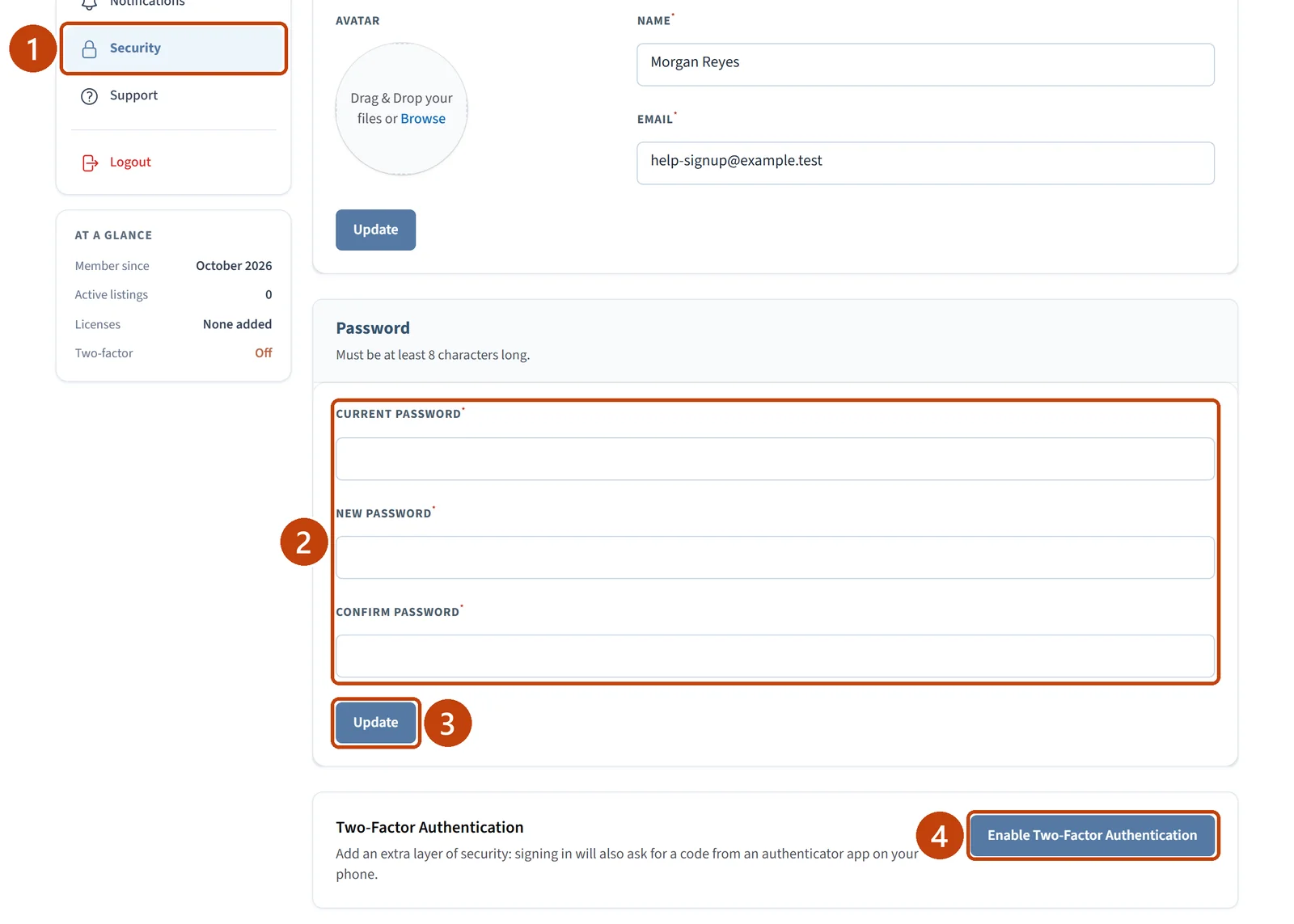
Select Account, then Security.
Under Password, enter your current password, then a new password of at least 8 characters, and confirm it.
Select Update.
Two-factor authentication is on the same page.
No email arrives. Check your spam folder, and check that you entered the email address your account uses.
The link has expired. Reset links last 60 minutes. Go back to the Log in page and request a new one.