
You need an email address you can open. An account is free, and it lets you search and save listings straight away. Publishing your own listings needs a Listing Entry subscription, which you can add later.
Before you start
Open the sign-up page
Select Sign-up at the top of any TotalCommercial page.

Fill in the form
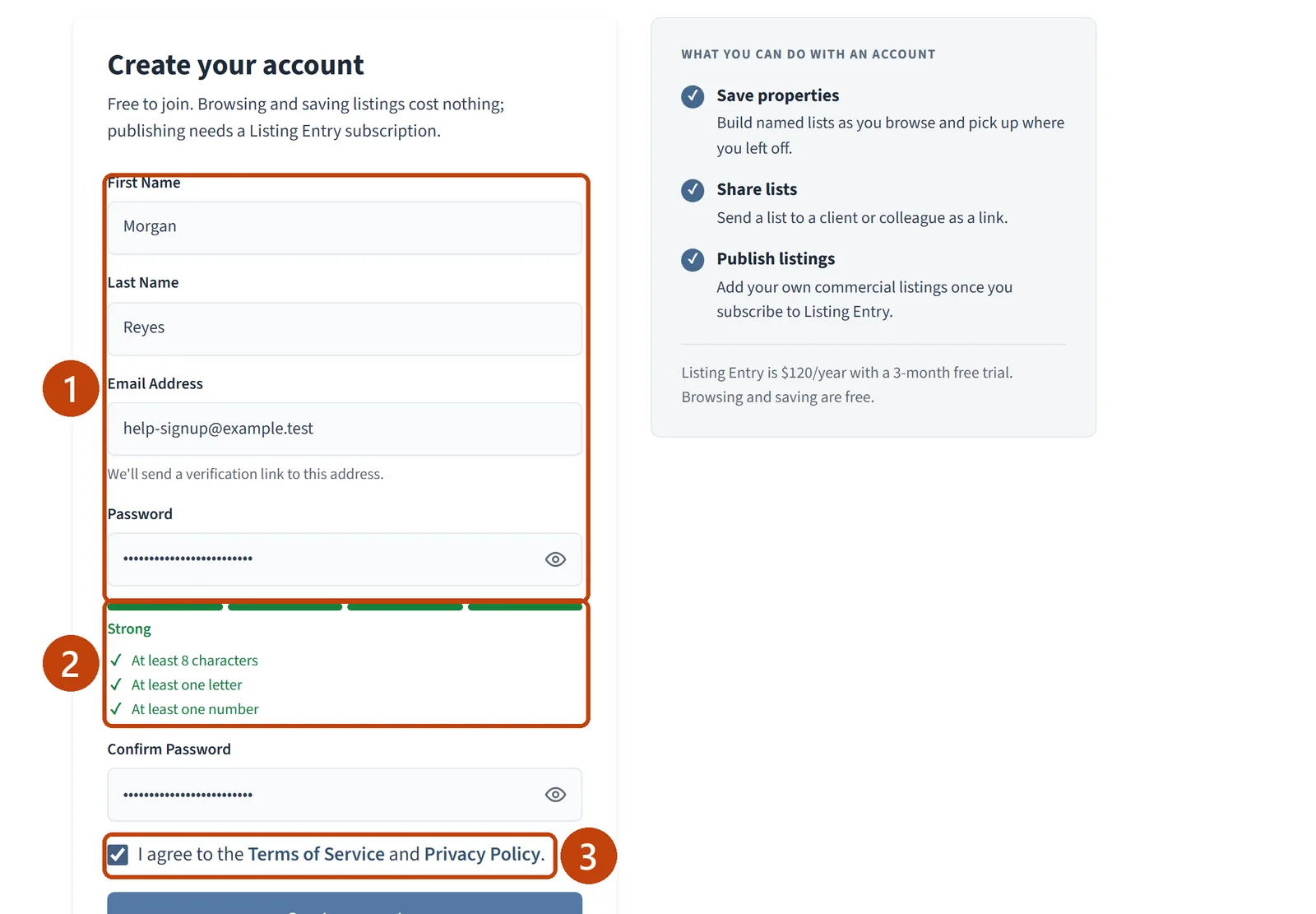
Enter your First Name, Last Name, and Email Address.
Enter a Password with at least 8 characters, one letter, and one number. The checklist under the field turns green as each rule is met.
Enter the password again in Confirm Password.
Tick I agree to the Terms of Service and Privacy Policy.
Select Create account.
Check your email
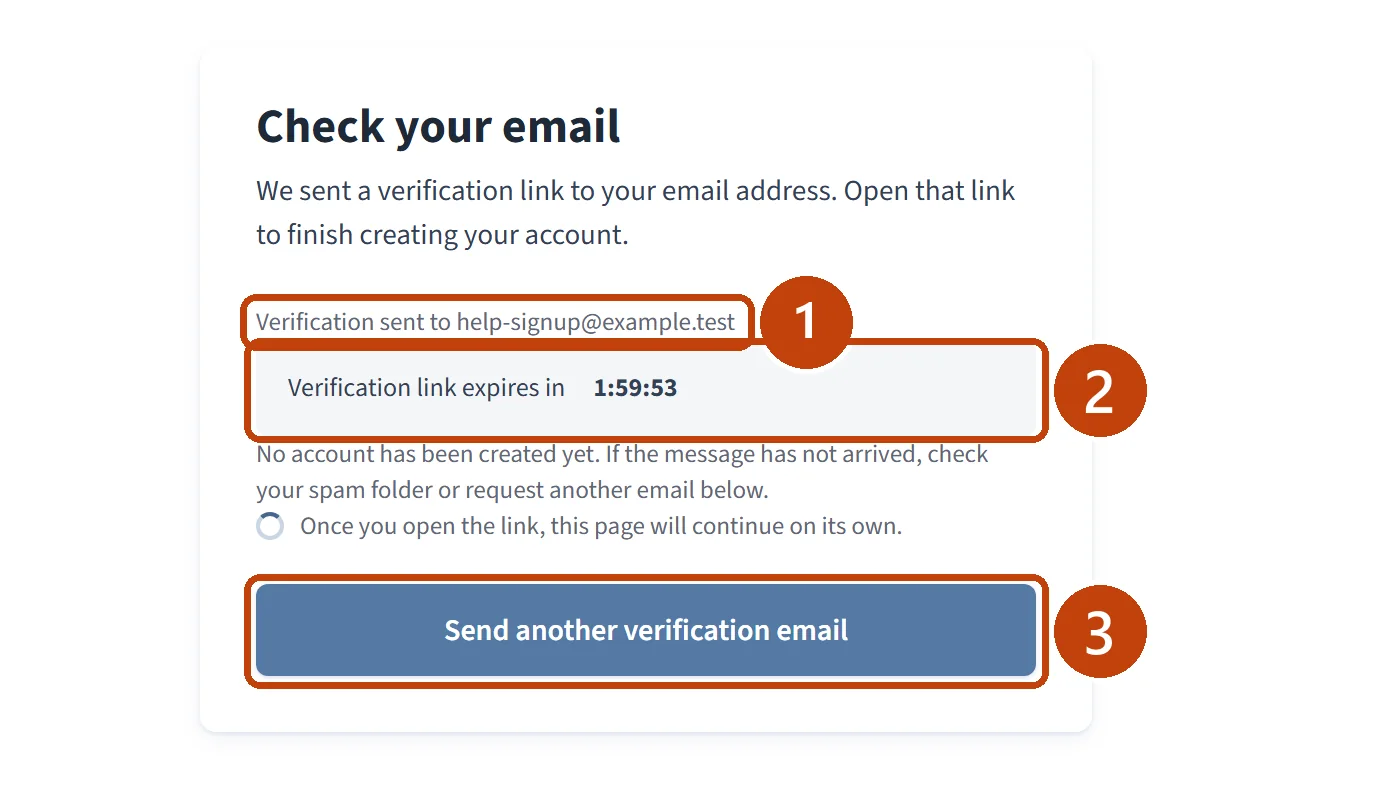
The Check your email page shows the address the link was sent to and a countdown. The link expires in 2 hours, and your account does not exist until you open it. Leave this page open: once you open the link, it continues on its own.
Open the verification email
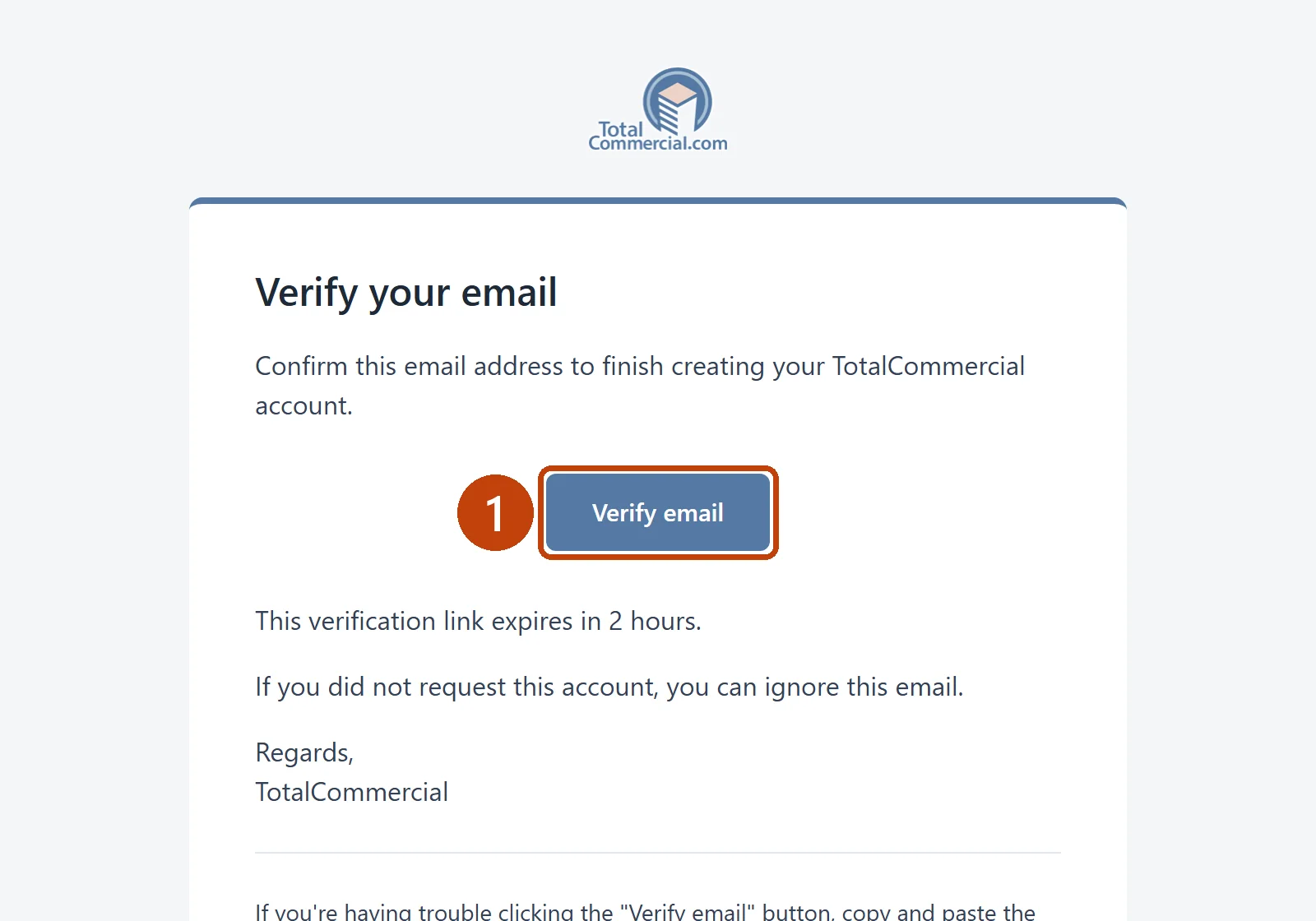
Open the email with the subject “Verify your TotalCommercial email”.
Select Verify email.
Answer the welcome questions
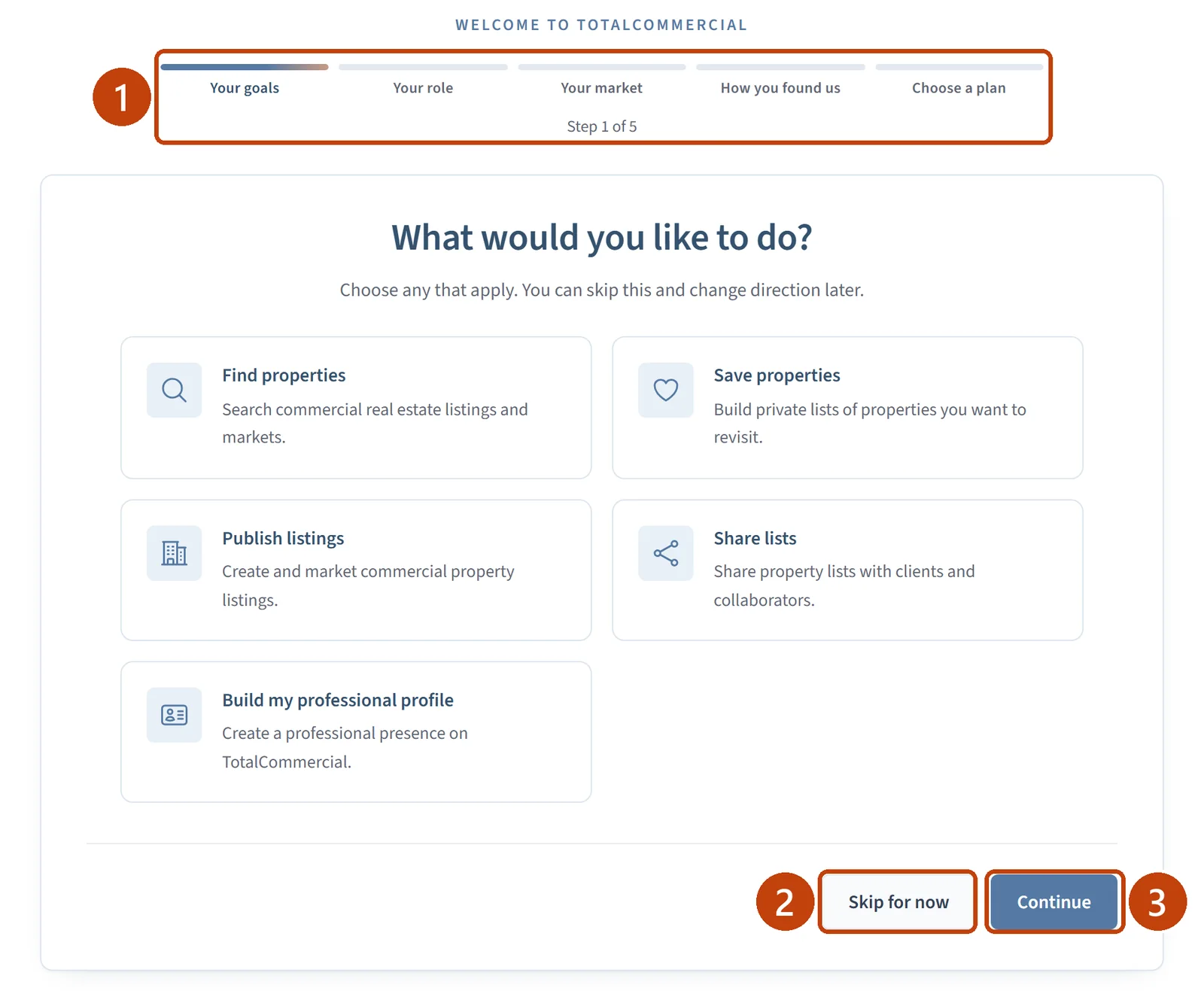
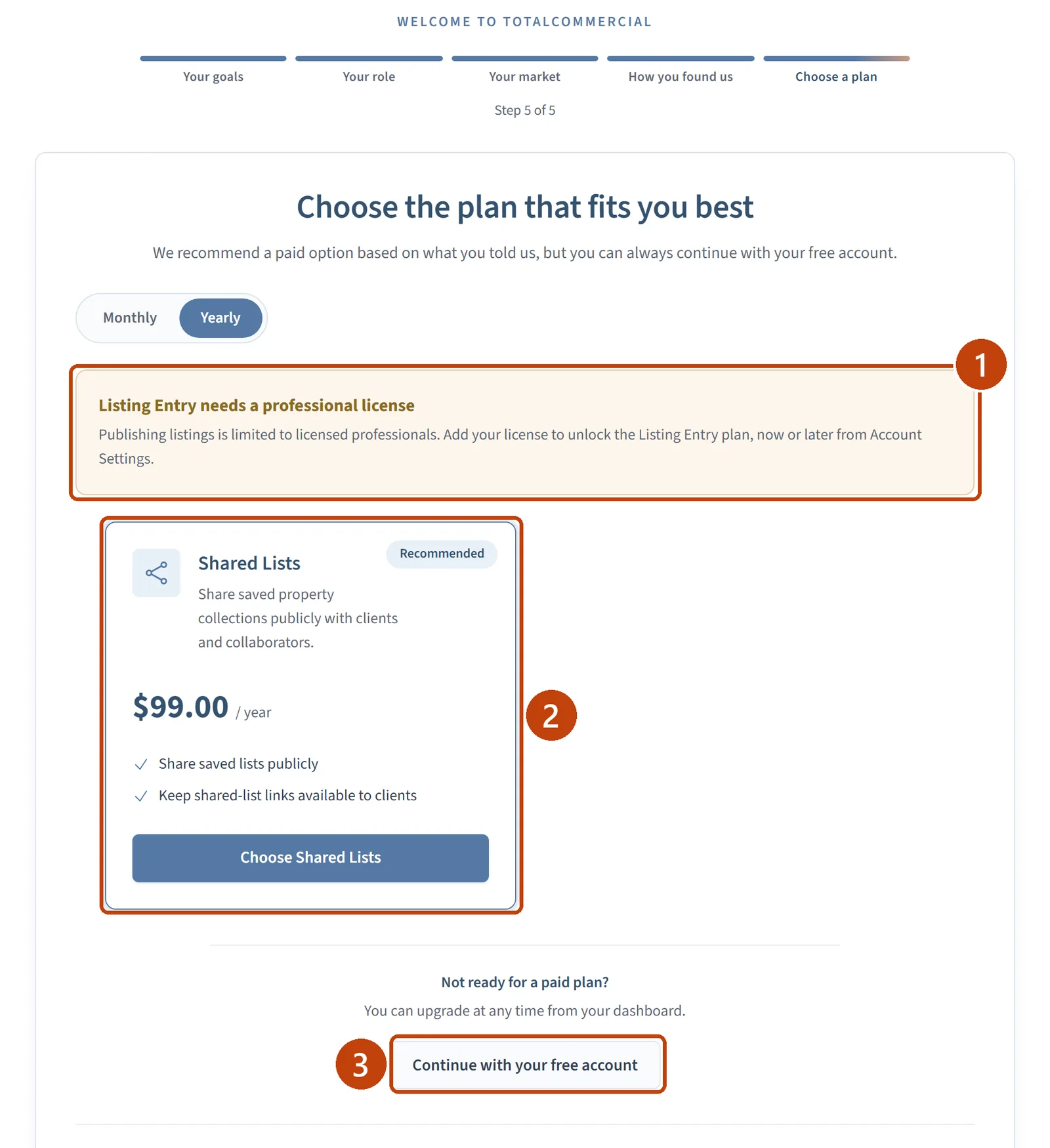
You are now signed in, and five short welcome steps open: your goals, your role, your market, how you found TotalCommercial, and a plan. Every step has Skip for now.
Choose a plan or stay on the free account
On the last step, choose a plan, or select Continue with your free account. You can upgrade at any time from your Dashboard.
Listing Entry, the plan for publishing listings, is limited to licensed professionals. If you have not added a license yet, a notice explains that you can add it now or later from Account Settings.
Open your Dashboard
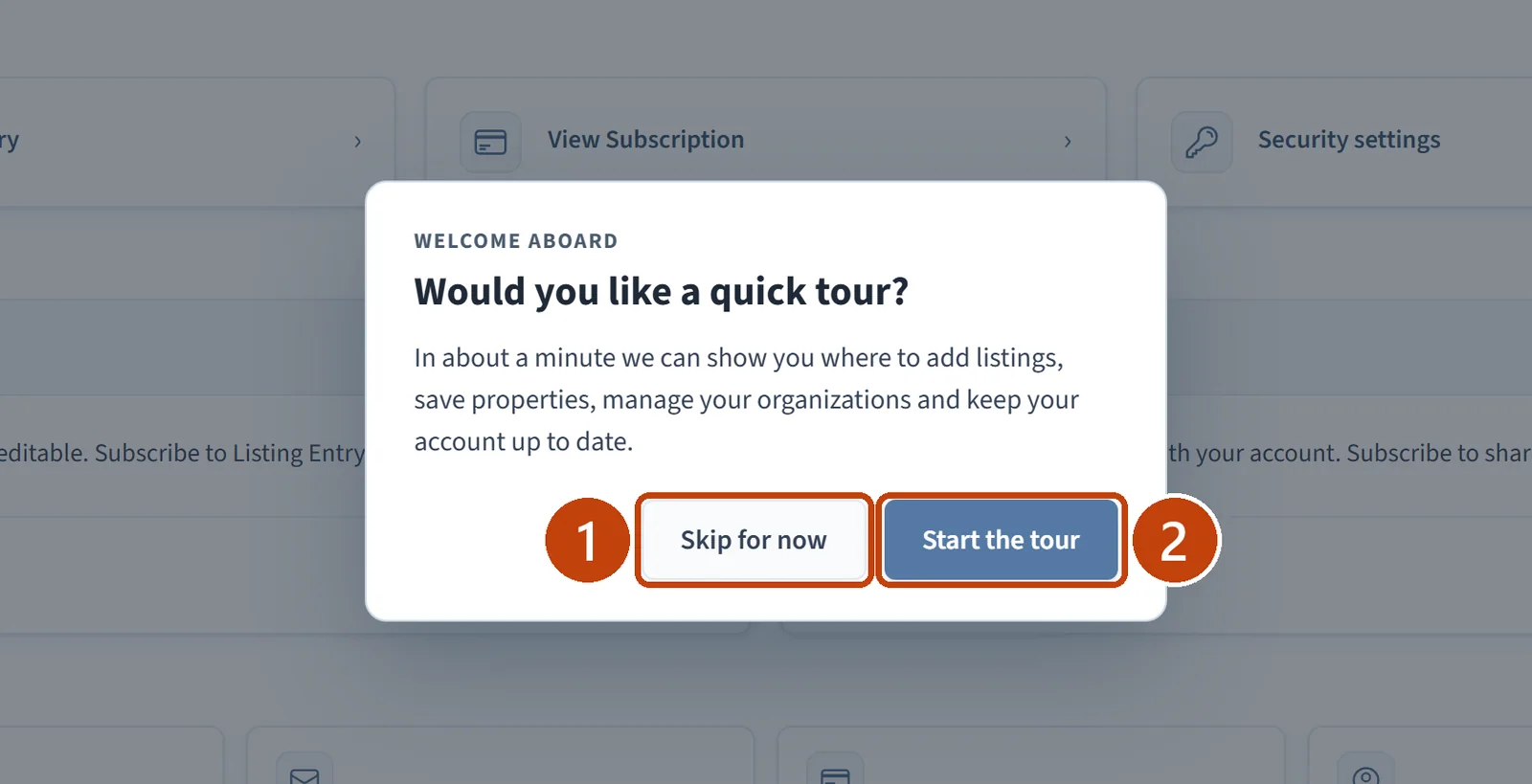
Your Dashboard opens and offers a quick tour. Select Start the tour for a one-minute walk through the main areas, or Skip for now.
If something is not working
No email arrives. Check your spam folder, then select Send another verification email on the Check your email page.
The link has expired. Verification links last 2 hours. Sign up again to get a new one.
Create account does nothing. Check that every item in the password checklist is green and that the agreement box is ticked.