TotalCommercial.com

Help Center · Listings

How to Renew an Expired Listing

Find an expired listing in your Dashboard and renew it so it is live for another 30 days.

Last updated October 2026 · 2 minute read

How expiry works

  • A published listing stays live for 30 days from the day it was published or last renewed. If day 30 falls on a weekend, the expiry date moves off the weekend.

  • Reminder emails are sent 20, 25, and 29 days after the listing was published or last renewed.

  • Expired listings, and listings within 7 days of expiring, are counted under Needs attention on your Listings page.

To renew you need an active Listing Entry subscription, and the listing must still meet every publishing requirement.
Find the expired listing

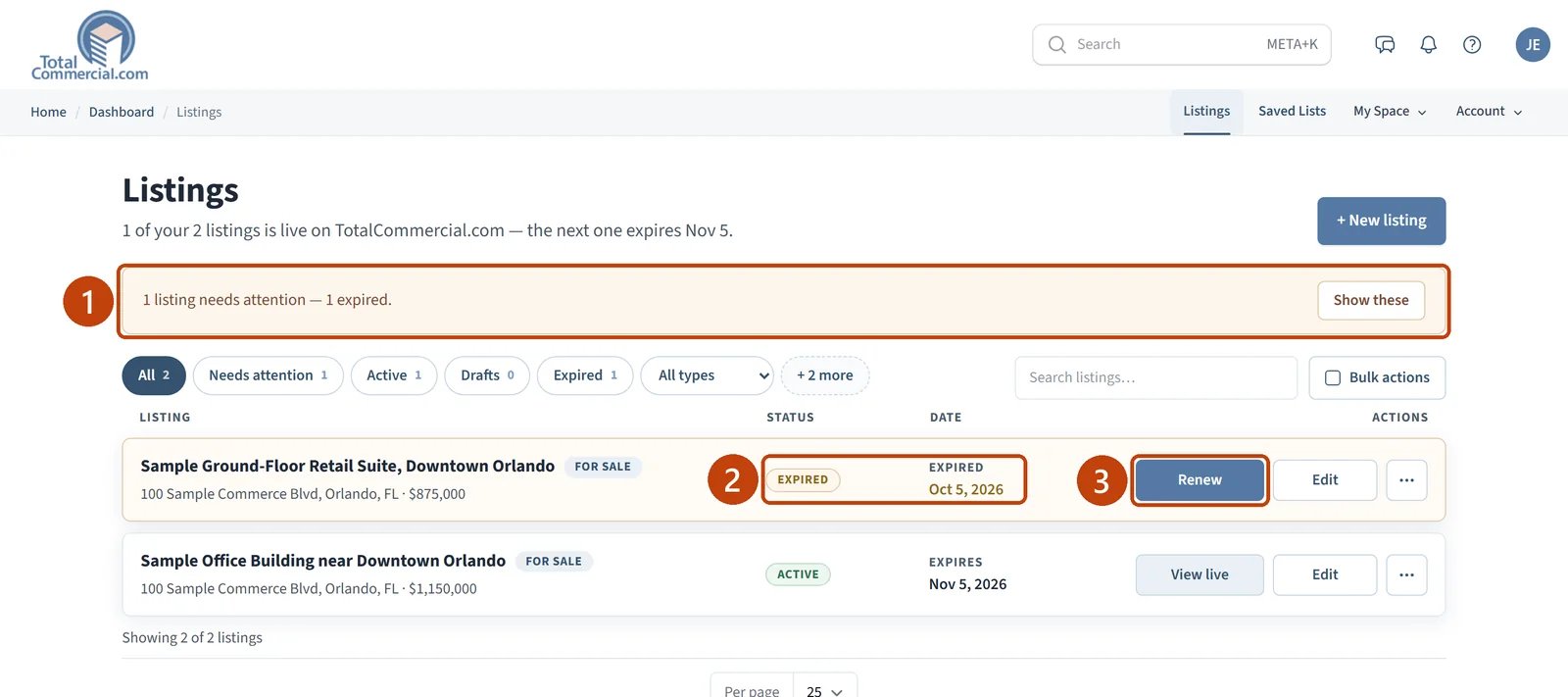
  1. Open Listings in your Dashboard. When something needs action, a banner such as “1 listing needs attention — 1 expired.” appears at the top.

  2. Look for the listing with the EXPIRED badge.

The Listings page with the needs attention banner, an expired listing, and its Renew button marked.
The banner (1), the EXPIRED badge and date (2), and Renew (3).

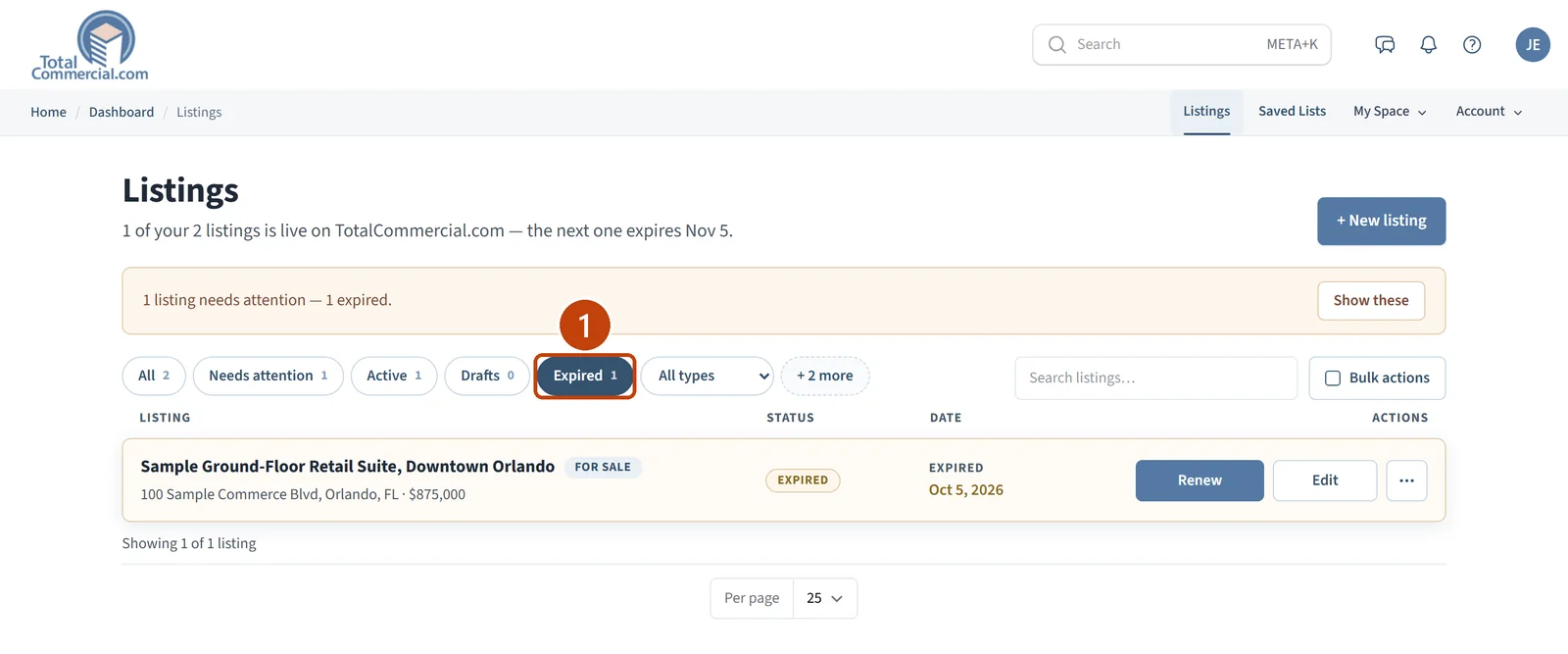
Show only expired listings

If you have many listings, select Show these on the banner, or the Expired filter, to list only the ones that have expired.

The Listings page filtered to show only expired listings.
The Expired filter (1) shows only expired listings.

Renew the listing

  1. Select Renew on the listing.

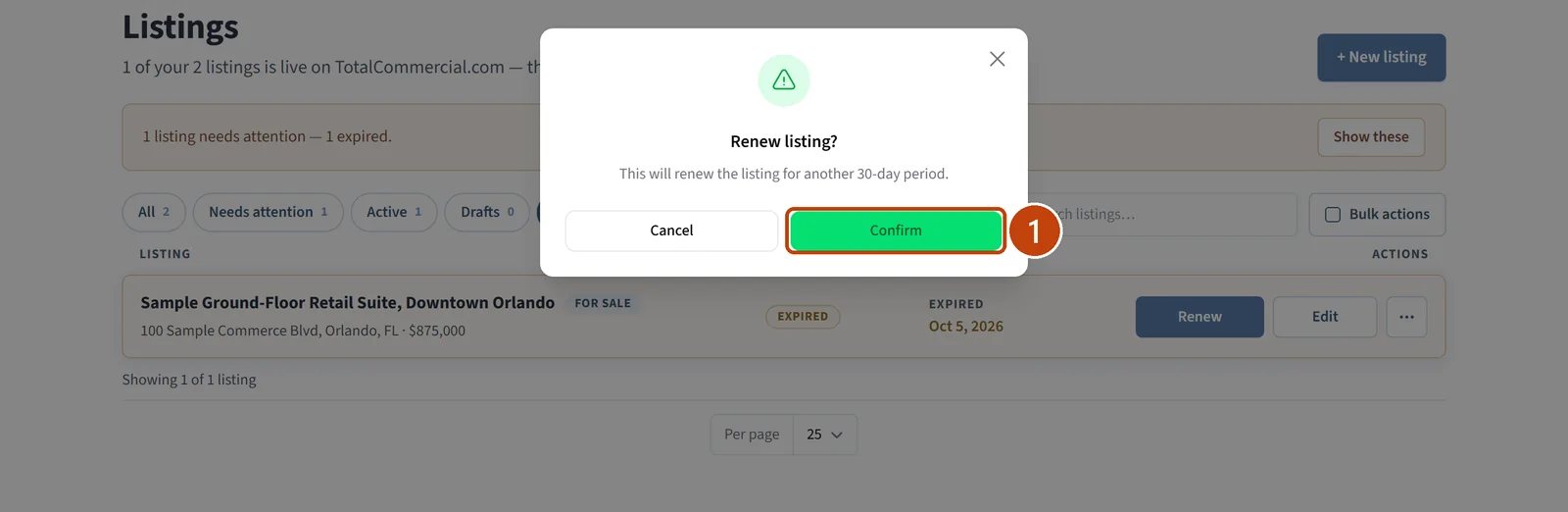
  2. In the Renew listing? window, select Confirm.

The Renew listing? window explaining that the listing will be renewed for another 30-day period, with Confirm marked.
Select Confirm (1).

Confirm it was renewed

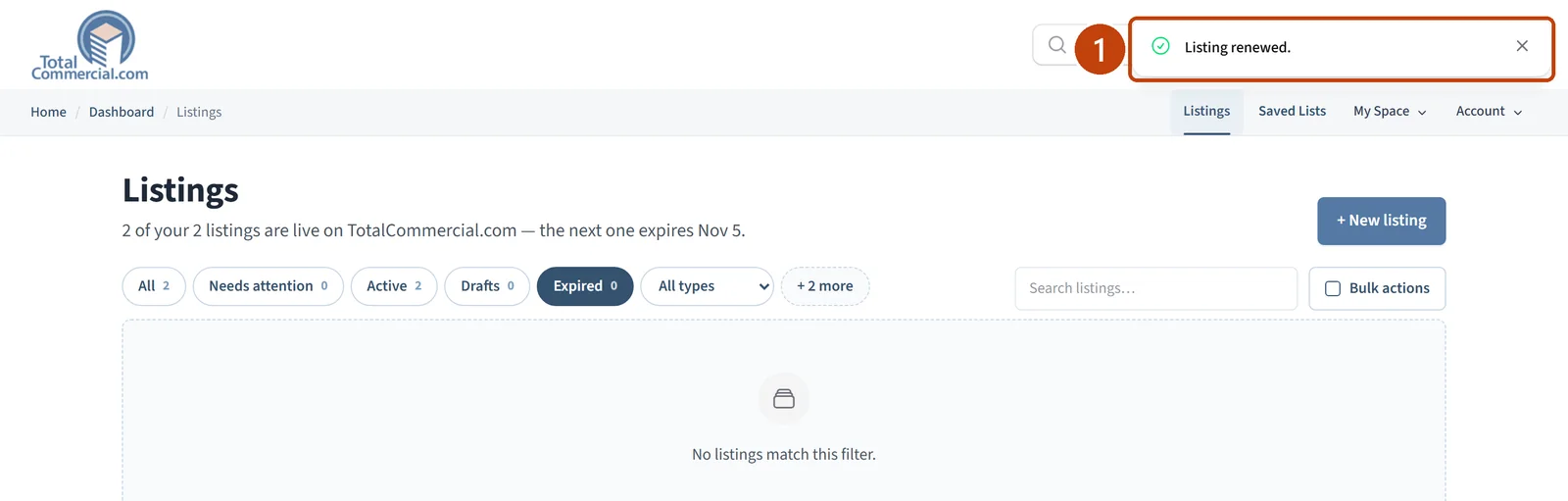
The message “Listing renewed.” appears. The listing leaves the Expired filter, shows an ACTIVE badge, and has a new expiry date.

The Listings page showing the Listing renewed message, with the Expired filter now empty.
The confirmation (1). The Expired filter is now empty.

See the new expiry date

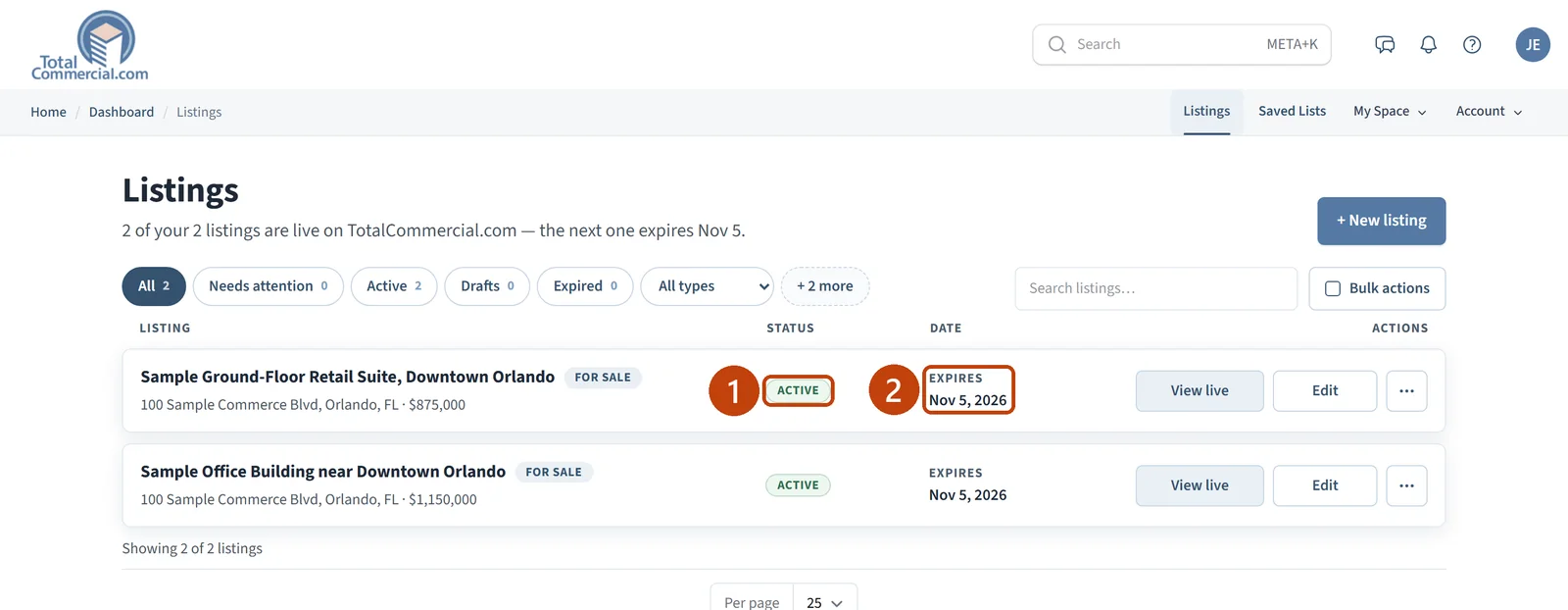
Select All to see every listing again. The renewed listing is live for another 30 days.

The Listings page with the renewed listing showing an Active badge and a new expiry date.
ACTIVE (1) and the new expiry date (2).

If something is not working

  • There is no Renew button. Your Listing Entry subscription is not active.

  • Renewing does not work. The listing may no longer meet the publishing requirements. Select Edit and check the checklist on the right side of the page.

  • You already renewed today. A listing can be renewed once per day.

Related articles